Back to your profile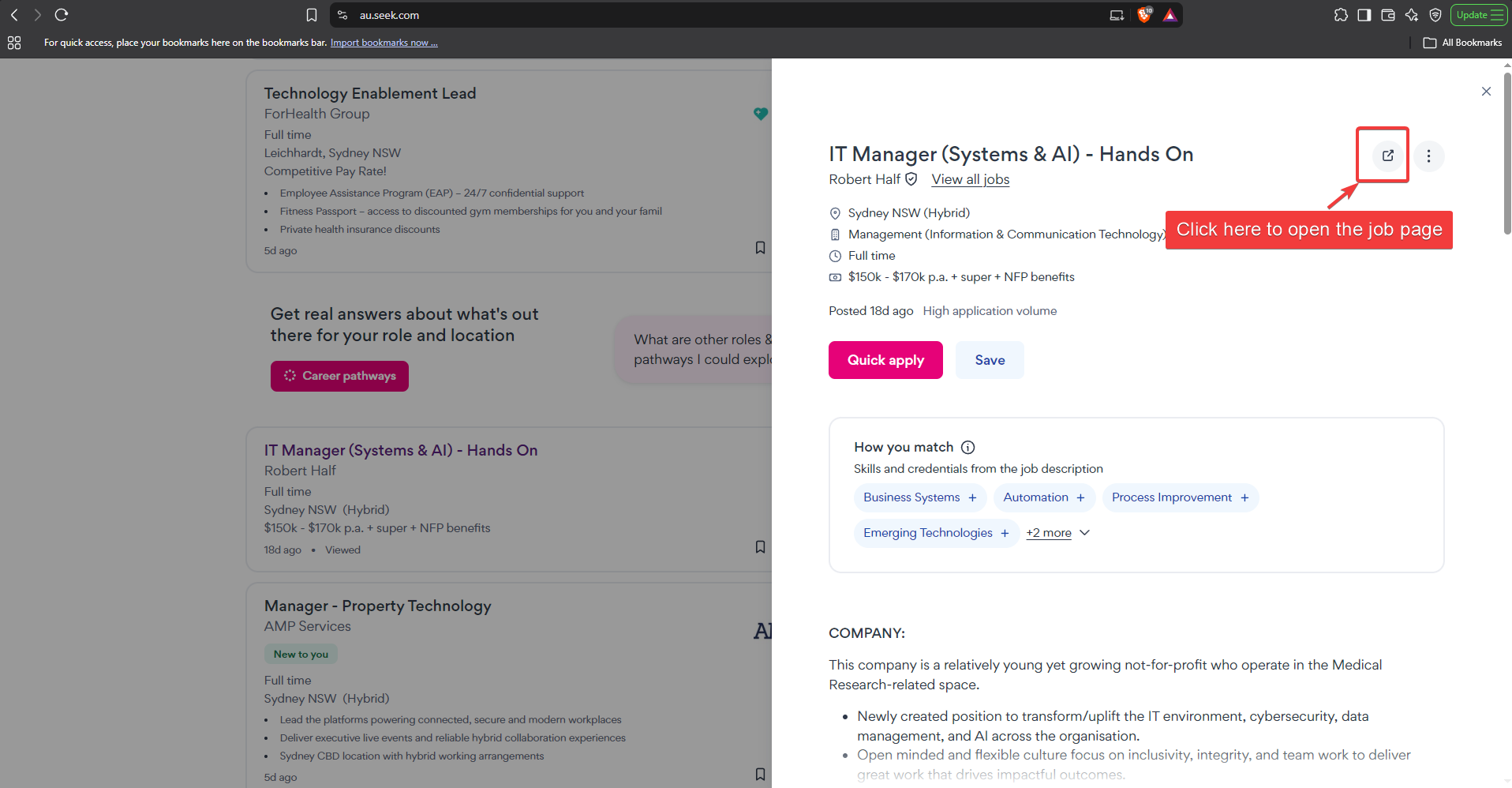
How to get a Seek job link
We build your interview questions from the actual job advertisement, so we need the link to that one specific advert — not the search results list.
If you copy the address bar straight from the search results, you get a link like au.seek.com/, which does not tell us which job you mean. Here is how to get the right one.
Two clicks and you are done
1
On the search results, click the open-in-new icon on the job you want
Search results show a quick preview of each job. That preview is not the full advert. Click the small open-in-new icon at the top right of the preview to open the full job page.
The red arrow marks the icon to click. It sits at the top right of the preview panel, next to the three-dot menu.
2
On the full job page, copy the address bar
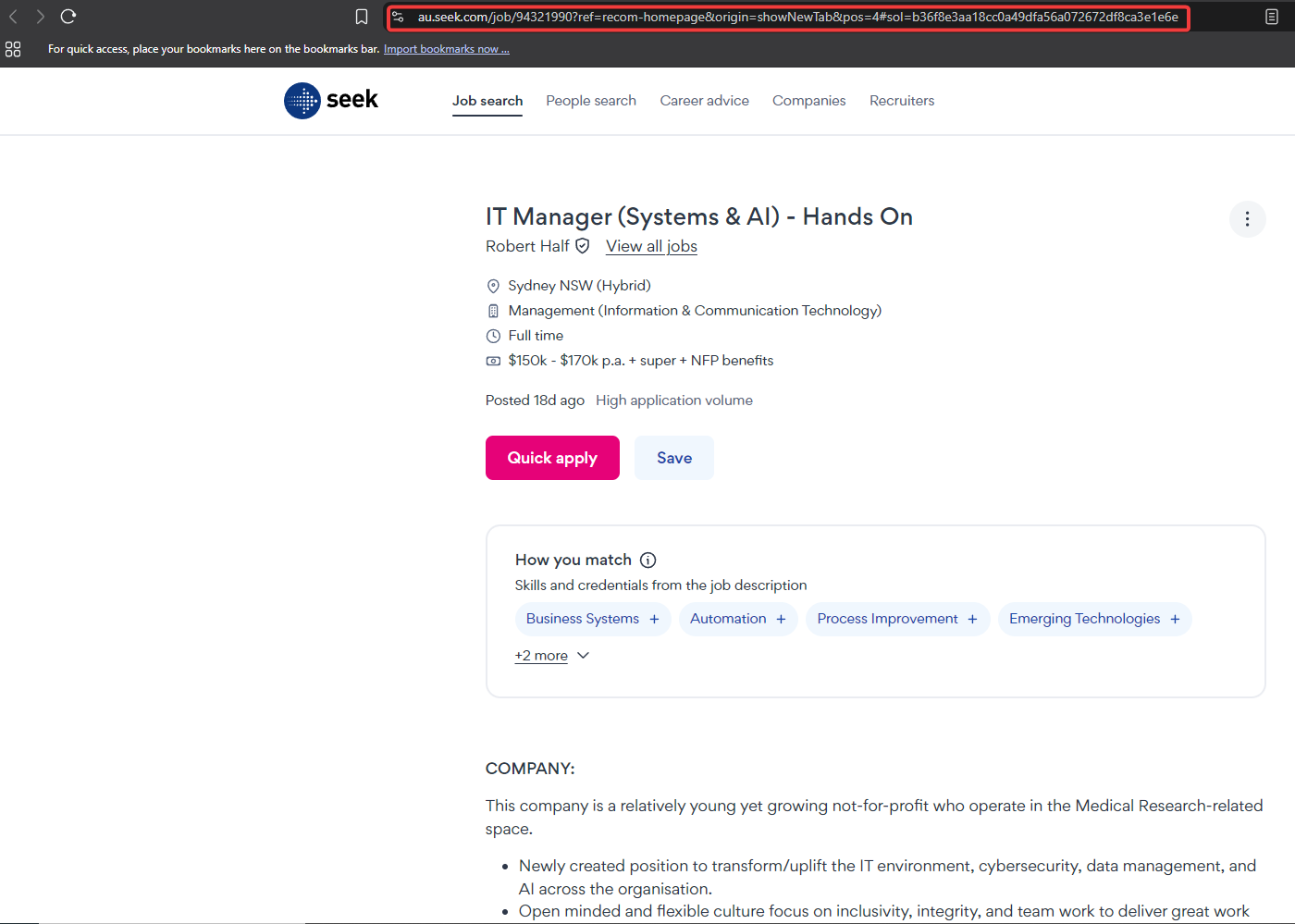
The page now opens as the real advert and the address bar shows a link containing /job/ followed by a number. Select the whole address and copy it.
The red box marks the address bar on the full job page. Anything after
?ref=… is just tracking and is harmless — you can copy the whole thing exactly as it is.https://au.seek.com/job/94321990?ref=recom-homepage&origin=showNewTab&pos=4
Right link vs wrong link
This works — it points at one specific job
https://au.seek.com/job/94321990
https://www.seek.com.au/job/94321990
https://nz.seek.com/job/12345678
https://www.seek.com.au/job/94321990
https://nz.seek.com/job/12345678
This does not work — there is no job in the link
https://au.seek.com/
https://au.seek.com/software-engineer-jobs
https://www.seek.com.au/jobs?keywords=engineer
https://au.seek.com/software-engineer-jobs
https://www.seek.com.au/jobs?keywords=engineer
The quick check: a good Seek link always contains
/job/ followed by a number. If you do not see /job/, you are still on a search or listing page.Not using Seek, or outside Australia and New Zealand?
You do not need a link at all. Go back to the profile form, switch to Paste job description, and paste the text of the advert instead. This works with any job site in any country — LinkedIn, Indeed, Trade Me, company career pages, or anything else.
On most job pages you can select the description with your mouse and copy it. On Seek you can also use the ⋮ (three-dot) menu on the job page.
Pasting the text is the most reliable option. It never fails because of a website blocking us, and it works identically everywhere in the world.